Is Amazon Removing AI-Generated Product Images, and Can They Hurt Your Account Health?

Key Takeaways

  • Amazon has not announced a purge of AI-generated product images, and its published rules contain no ban on images made or edited with AI.
  • Images and videos showing photorealistic AI-generated people must now carry the keyword “contains-synthetic-performer” in their metadata, a rule Amazon announced in late July 2026 for every store, and Amazon warns that untagged media may be removed and repeated issues could lead to enforcement on the account.
  • The bigger Account Health risk is an image that misleads, because a customer complaint that the product does not match the listing can land on the Account Health Dashboard as a product condition or product authenticity complaint.
  • Amazon’s own systems have added or swapped listing images since at least 2024 and began translating image text in August 2026, and the fix is to upload your own image for the affected slot and open a case with the ASIN and a screenshot.

No, Amazon is not removing product images simply because they were made with AI. Amazon allows AI-generated and AI-edited images; what it removes are images that break its image requirements or misrepresent the product, and since late July 2026 it expects a disclosure tag on images of photorealistic AI-generated people. In this article, “AI image” means an image a seller makes or edits with AI tools, and “Amazon-generated image” means one that Amazon’s own systems add or change. Both kinds can end with a listing hidden from search or a complaint on the Account Health Dashboard, and both can affect the ads pointing at that listing.

AI images on Amazon at a glance

FactDetail
Are AI images allowed?Yes; Amazon’s published rules contain no ban, and its own guidance recommends AI for lifestyle and secondary images
Main image rulesPure white background (RGB 255, 255, 255), product filling 85% or more of the frame, professional quality, the actual product rather than an illustration
AI people ruleImages and videos with photorealistic AI-generated people carry the keyword “contains-synthetic-performer” in the dc:subject (XMP) metadata field
AnnouncedLate July 2026, which press reports link to a New York law on synthetic performers in advertising
Where it appliesEvery Amazon store worldwide; listing images, videos and A+ content
Not covered by the ruleReal people, even if edited with AI; fictional film, TV or game characters; images with no people; people who are not photorealistic
Penalty for untagged contentAmazon warns that untagged media may be removed and repeated issues could lead to enforcement on the account
How complaints appearProduct Condition Customer Complaint or Product Authenticity Complaint on the Account Health Dashboard
Blanket AI image purgeNot announced

Is Amazon removing AI-generated product images?
Amazon is not banning AI product images, but you are responsible for all listing content, including AI images

No. Amazon has published no policy that removes product images for being made with AI, and none of its recent posts describes automatic detection of AI imagery. Its rules judge what an image shows, regardless of the tool that produced it.

Separate developments have run together in seller conversations. In late July 2026, Amazon told sellers to tag images of photorealistic AI-generated people. In October, an Amazon account on the Seller Forums posted a discussion about a product removed after a customer complaint, where the image that set the customer’s expectations was AI-generated. And since at least 2024, sellers have reported Amazon’s own systems adding or replacing images on their listings.

The October post describes a scenario and the rules behind it rather than a new policy. Its central line is the one every seller needs: “you are responsible for all content on your listing, including anything generated by AI”.

What do Amazon’s image rules say about AI?

Amazon’s image rules say nothing against AI; they set standards that every image must meet, however it was made. For the main image, Amazon staff list a pure white background (RGB 255, 255, 255), the product filling 85% or more of the frame, professional quality, and the actual product being sold rather than an illustration.

Amazon’s own guidance steers AI towards the supporting images. Its October forum post recommends using AI for lifestyle and secondary images, not as a replacement for real product photography, and warns that a listing whose images misrepresent the product, AI-generated or not, can be suppressed or removed.

A simple test follows from those rules. If a shopper holding the delivered product would say the image showed something different, the image is a risk, whichever tool made it.

When do you need to tag an AI image, and how?
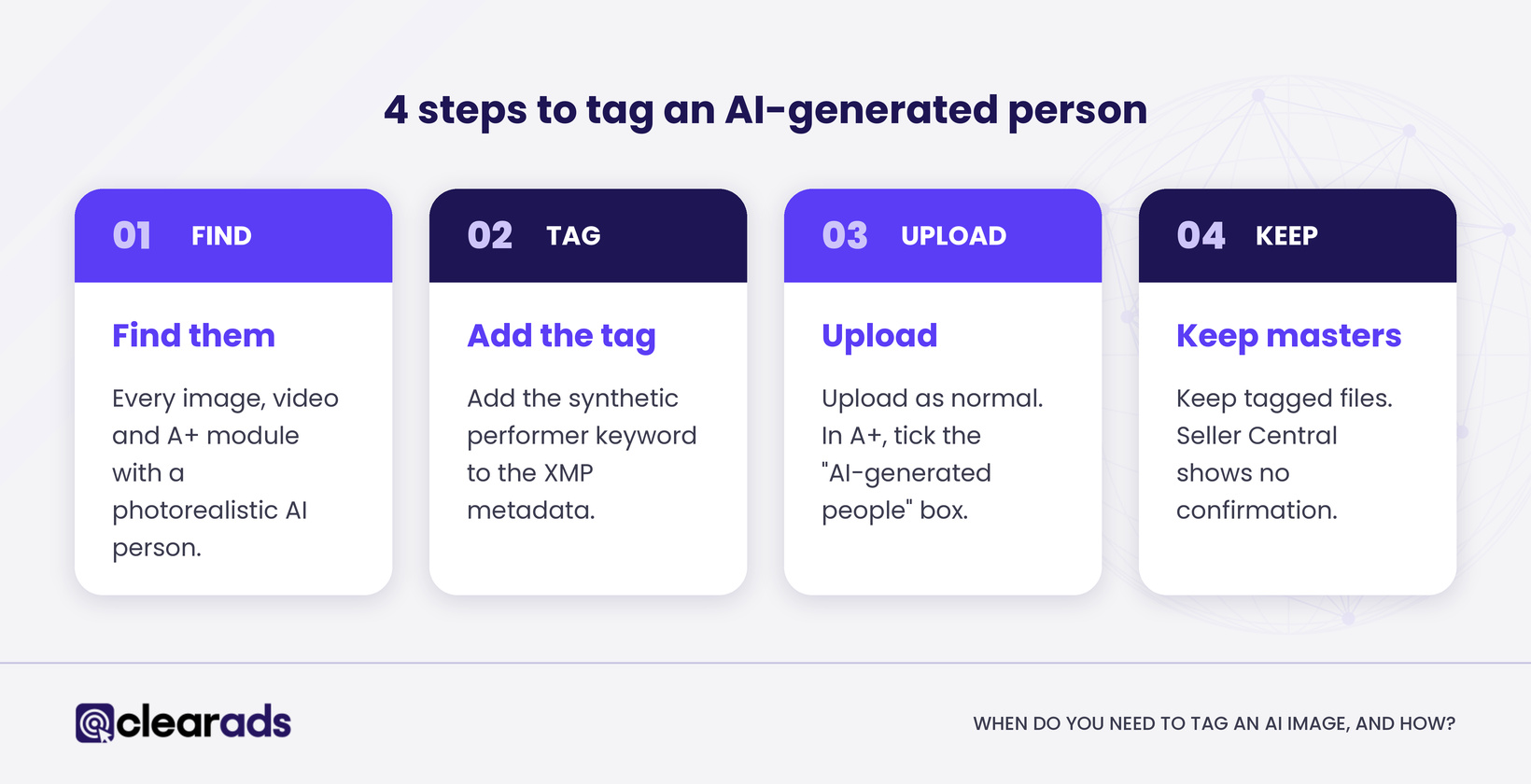
Four steps to tag an AI-generated person in Amazon listing images: find, add the tag, upload, keep masters

You need to tag any image or video that shows a photorealistic person generated by AI. Amazon’s announcement on tagging AI-generated people applies the rule in all of its stores worldwide, to listing images, videos and A+ content.

The rule does not cover images that only show real people, even if AI tools altered them, fictional characters from film, TV or games, images without people, or people who are not photorealistic. Amazon’s notice ties the rule to recent legislation requiring disclosure whenever advertisements feature photorealistic AI-generated people, and press reports link it to a New York law on synthetic performers in ads. For this purpose, Amazon is treating listing images as advertising.

Tagging takes four steps:

  • Find every image, video and A+ module that shows a photorealistic AI-generated person, including lifestyle shots and comparison graphics.
  • Open each file in a metadata editor that supports IPTC, and add the keyword “contains-synthetic-performer” to the dc:subject field of the XMP metadata.
  • Upload the file as normal. For A+ content, ticking the “AI-generated people” box in A+ Content Manager tells Amazon to apply the metadata for you.
  • Keep the tagged master files. Seller Central shows no confirmation that a tag was recorded, and one seller reports the tag is missing from live images downloaded after upload.

Amazon warns that untagged media may be removed and repeated issues could lead to enforcement on the account. The tag therefore belongs in the design brief, so it is added when the file is exported.

How can an AI image hurt your Account Health?

An AI image hurts Account Health when it misleads a customer who then complains. Amazon’s October forum post walks through the path: a customer says the product does not match the listing, the product is removed, and the complaint appears on the Account Health Dashboard as a Product Condition Customer Complaint or a Product Authenticity Complaint.

The same post lists what can follow: the listing hidden from search until a compliant image is submitted, and an appeal that needs documentation, including invoices and a plan of action. Amazon has published no separate “AI image” violation category, and no figures on how often this happens.

The edits that cause trouble are the ones that change the product. Amazon’s post warns that AI output can alter a product’s colours, proportions, textures and packaging, which is exactly what a customer notices when the box arrives.

Misleading images cost money before any complaint arrives. Shoppers who receive something different from the picture send it back, and a high return rate can earn the listing a Frequently Returned Item badge that puts off the next shopper.

Why is Amazon changing listing images without asking?

Amazon’s own systems sometimes add, swap or translate listing images, and sellers have reported it since at least 2024. In September 2024, a UK seller reported several hundred listings with photos changed or deleted, including an AI-style grid image built from one original photo. In January 2025, a US seller found an AI-generated second image that could not be found in Manage Inventory or the Upload Images tab.

The pattern has continued. Since August 2026, Amazon’s AI has translated text inside secondary images in 14 stores, leaving the main image untouched.

Amazon staff’s advice in the 2025 case is the most useful fix on record. Upload your own image for the affected slot in every store where it appears, allow 24 to 48 hours for the system to update, and open a Selling Partner Support case with the ASIN, a screenshot and the steps already tried. For a translated image, uploading your own version in the right language removes Amazon’s translation.

The wider pattern of Amazon’s AI changing titles, bullets and images, and how brand owners can limit it, is covered in how Amazon’s AI rewrites listings without permission.

What happens to your ads when an image problem hits a listing?

Image problems reach your advertising because Sponsored Products ads depend on the listing.

That creates two risks. If an image problem hides the listing or removes its offer, the ads can stop delivering without any change to the campaign. If the detail page shows a wrong or misleading image, the ads keep running and every paid click lands on a page that sets the wrong expectation, which is where complaints and returns start.

We recommend one habit. When an ASIN’s ad conversion rate drops with no change in bids, budgets or targeting, check the live detail page images in each store before you touch the campaign.

Ad creative needs the same care. Amazon’s notice covers listing images, videos and A+ content and does not mention custom images for Sponsored Brands or display ads, so the cautious course is to tag photorealistic AI people there as well.

How do you check whether your listings are affected?
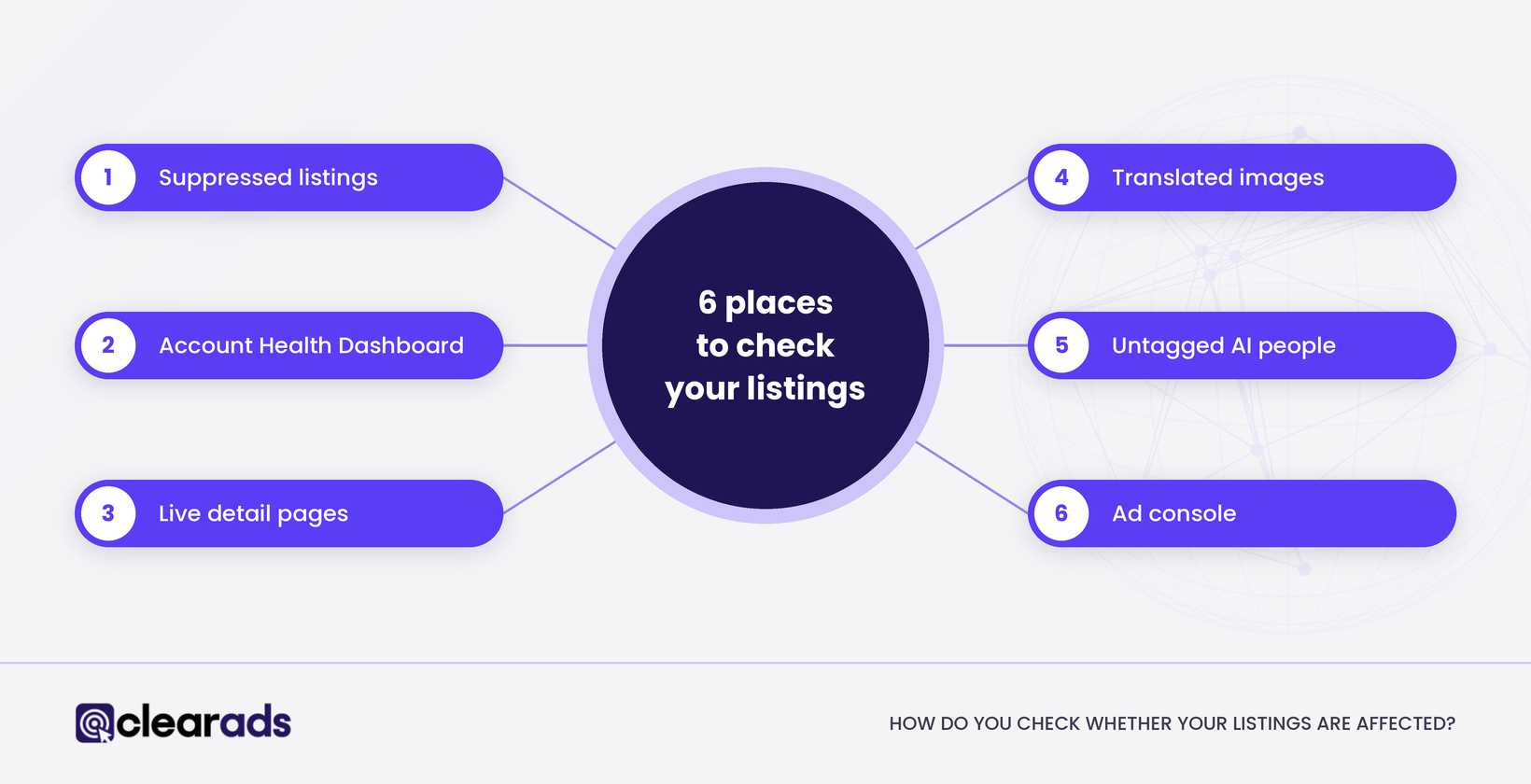
Six places to check if AI product images affect your listings, from suppressed listings to Account Health

Check six places, starting with the listings that earn the most:

  • Seller Central’s suppressed listings, for anything removed from search because of an image issue, with the reason Amazon gives.
  • The Account Health Dashboard, for product condition or product authenticity complaints and any policy notifications.
  • The live detail page in every store you sell in, on desktop and in the app, compared image by image with the files you uploaded.
  • Secondary images in other-language stores, for text Amazon has translated.
  • Your image files, for any photorealistic AI-generated person without the tag.
  • Your ad console, for ASINs whose ads have stopped delivering or whose conversion rate has dropped without a campaign change.

Run the first three checks monthly for your best sellers and quarterly for the rest of the catalogue. Amazon’s own forum post recommends a quarterly audit of older listings for outdated or non-compliant images.

How do you fix a removed or replaced image?

Replace the image first and deal with any complaint second, because the listing stays hidden from search until a compliant image is in place. Four steps cover most cases:

  • Replace rather than delete: upload a compliant image to the main image slot, so the listing is never left without one, and allow at least 24 hours for it to show.
  • For an image Amazon added or swapped, upload your own image for that slot in every affected store and open a Selling Partner Support case with the ASIN, a screenshot and the steps already tried.
  • For an Account Health complaint, follow the instructions in the notification. Amazon’s forum post says appeals need documentation, including invoices and a plan of action, so keep real product photos and supplier invoices ready.
  • Re-upload tagged versions of any image or video with a photorealistic AI-generated person.

If an image keeps changing after you fix it, record each change with dated screenshots. A dated timeline gives Support something specific to act on.

How should brands use AI images without putting the listing at risk?
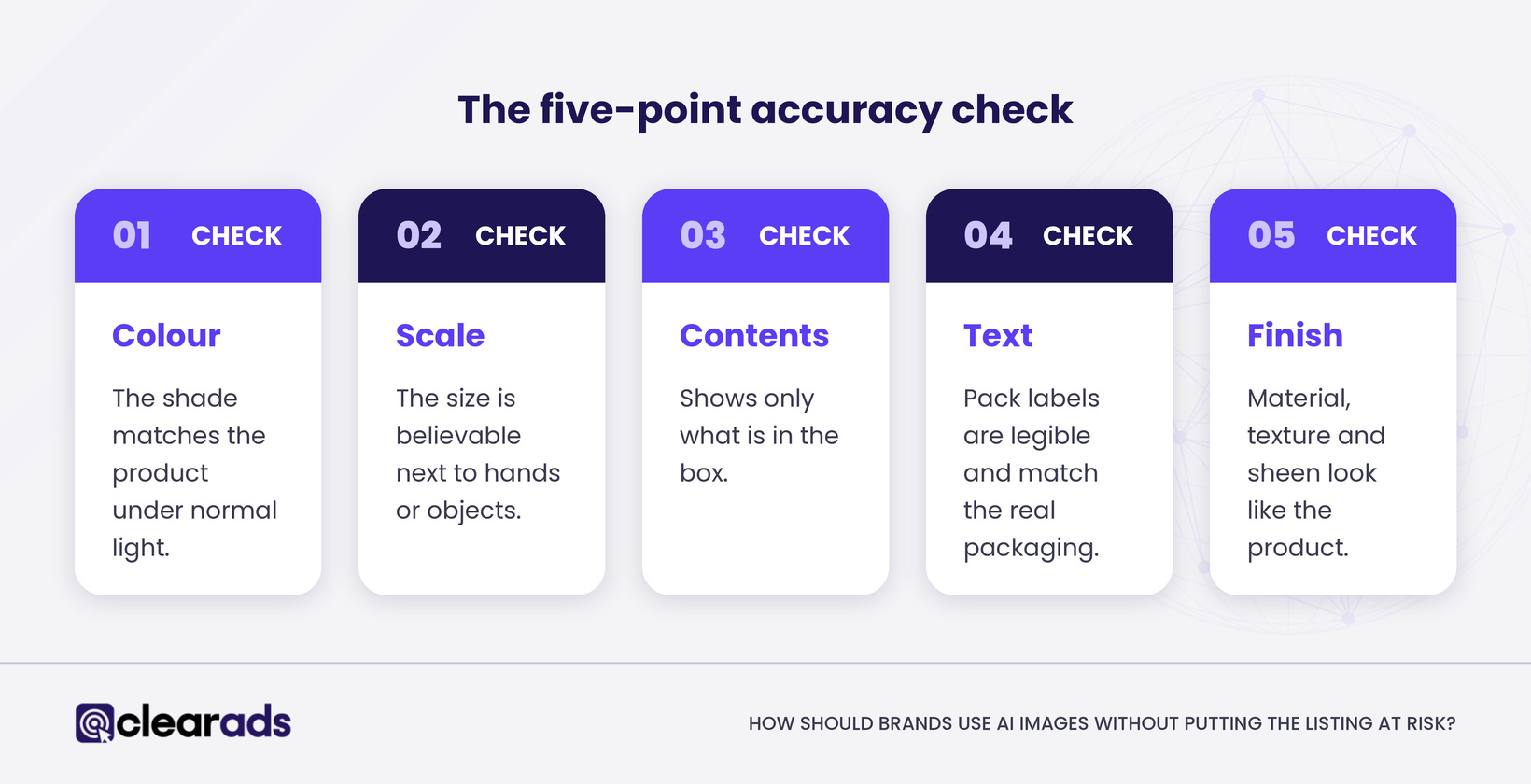
Five-point accuracy check for AI product images: colour, scale, contents, text and finish

Use AI where it adds context, and keep it away from the facts of the product. These are Clear Ads recommendations, built on Amazon’s rules rather than required by them:

  • Keep the main image a real photograph of the product, edited only in ways that leave the product unchanged, such as cleaning up the background.
  • Use AI for lifestyle scenes and secondary images, and run every one through the five-point accuracy check below before it goes live.
  • Add the tag step to your design brief for any photorealistic AI person, so it happens at export rather than after upload.
  • Keep an image register recording which images were made or edited with AI, the tool, the date, the source photo and the tag status; it doubles as appeal evidence.

The five-point accuracy check compares every AI image with the real product:

  • Colour: the shade matches the product under normal light.
  • Scale: the product’s size is believable next to hands, furniture or other objects in the scene.
  • Contents: the image shows only what is in the box.
  • Text: labels, logos and instructions on the pack are legible and match the real packaging.
  • Finish: material, texture and sheen look like the product the customer will hold.

An image that fails any point gets fixed or dropped. The check takes minutes per image, and it is cheaper than an appeal.

Frequently asked questions

Can Amazon tell whether an image was made with AI?

Amazon has not said that it can. Its rule on AI-generated people relies on sellers adding a metadata tag, and the removals it describes come from its image requirements and from customer complaints. Treat any image that would mislead a shopper as a risk, however it was made.

Do images uploaded before the rule need the tag?

Not strictly. An Amazon staff reply on the US Seller Forums says retroactive tagging is not required but is best practice when you edit a file, and UK staff recommend updating existing listings too. The safe course is to re-upload tagged versions of older images, videos and A+ modules that show photorealistic AI-generated people.

Will shoppers see a label on AI-generated images?

Sometimes. Amazon says it will add an indicator telling customers an image includes AI-generated people “where applicable”, but it has not said when the indicator appears, and sellers report tagged images going live without a visible label.

Do Amazon’s own AI tools add the tag for you?

Yes, for images made inside Amazon’s tools. Amazon staff say images created with its generative AI features, such as Creative Studio, are tagged automatically, while images made with other tools need the keyword added before upload.

What does this article not cover?

Related guides:

What is the next step?

If you use AI images today, run the five-point check on your main images and on every image with a person this week, and tag anything that needs it. If a sudden drop in ad conversion brought you here, compare the live detail page with your files before you change a bid.

Clear Ads’ full-service management covers listings and images as well as ads. If you want help auditing your listing images alongside your advertising, get a free audit from Clear Ads.

YOUR PATH TO A HIGHER ROI STARTS HERE!

Talk to the Clear Ads team about your Amazon listings and ads.

George Meressa

Founder & CEO, Clear Ads Limited

George Meressa is Founder and CEO of Clear Ads, the Amazon PPC, DSP and full-service agency he started in 2011. He has worked in digital advertising since 2009 and has helped over 1,000 advertisers grow sales and organic rank on Amazon. He writes and speaks internationally on Amazon advertising, organic rank and retail media.

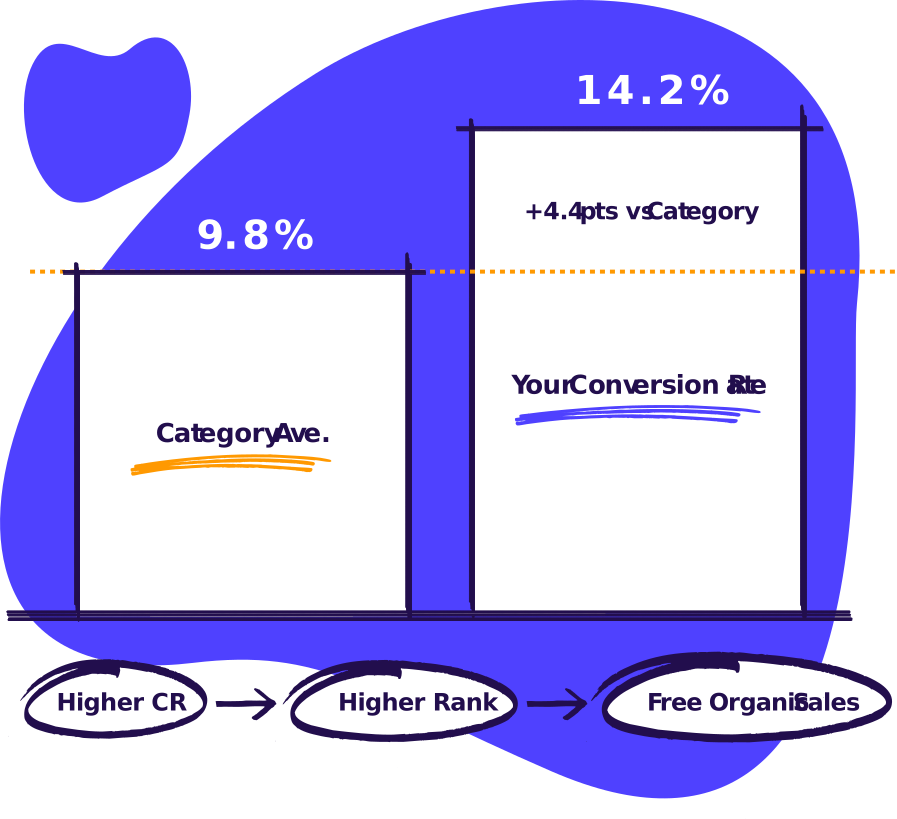
The metric that decides your organic rank

If you out convert the category, you’ll climb organic and sell more at a lower TACoS

Free PPC audit.

No call, no signup.

Cartoon laptop showing an audit score of 66/100

Nothing to sign in to. Your files stay in your browser.

Skip the sales call.

Get the audit.

Upload your ad reports. Get your audit in under 5 minutes.

The metric that decides your organic rank

If you out convert the category, you’ll climb organic and sell more at a lower TACoS

See how we can help you maximise revenue from your ad spend

Scroll to Top

Want to explore working with us?

Fill out the form below and our Head of Sales will reach out to you asap to coordinate an audit of your account. We’re looking forward to growing with you!

Name
What services are you interested in?