Key Takeaways
- The Amazon Ad Group Report shows how each ad group in a Sponsored Ads campaign performed over a chosen period, aggregating impressions, clicks, cost and attributed sales into one row per group.
- In unified reporting, you build the Amazon Ad Group Report by selecting the Ad group as the level of detail rather than opening a named report.
- In version 3 of the Amazon Ads reporting API, Sponsored Brands and Sponsored Display have named ad-group reports, while Sponsored Products reaches the same grain by grouping a campaign report by ad group.
- The Ad Group Report is where bid and targeting mistakes are cheapest to correct, because it separates a strong ad group from a weak one hidden inside the same campaign total.
- An Ad Group Report shows the symptom and a Search Term Report shows the cause, so the two are read together, never one instead of the other.
The Amazon Ad Group Report is ad-group-level performance reporting: it aggregates impressions, clicks, cost and attributed sales for each ad group inside your Sponsored Ads campaigns, so you compare groups rather than whole campaigns. In this page, “Ad Group Report” means ad-group-level performance data for Sponsored Ads: a level of detail in unified reporting, plus the named ad-group reports Amazon offers for Sponsored Brands and Sponsored Display. It covers Sponsored Ads reporting only and leaves out Amazon Attribution, Amazon DSP line items, and reporting a policy problem with someone else’s ad. Amazon is moving Sponsored Ads reporting into one builder during 2026, so the way you produce this report has changed. What follows explains what the report contains, how to generate it in the current console, and how to turn ad-group data into campaign decisions.
What is the Amazon Ad Group Report?
The Amazon Ad Group Report is a performance breakdown that shows how each ad group performed over a chosen period. An ad group sits one level below the campaign in the Sponsored Ads structure: campaign, then ad group, then the ads and targets inside it. The report totals each group’s impressions, clicks, spend and attributed sales into a single row. The campaign-level view of the same data sits in the Amazon campaign performance report, which totals every ad group into one row per campaign.
Amazon does not publish one universal export called “Ad Group Report.” In version 3 of the Amazon Ads reporting API, Sponsored Brands and Sponsored Display have named ad-group reports, while Sponsored Products has no separate ad-group report and instead groups its campaign report by ad group. In the advertising console, “Ad group” is a level-of-detail option you choose inside unified reporting.
The report is one of the Sponsored Ads reports covered in the Amazon advertising reports hub. For the full list of Sponsored Ads report types and where this one fits, see the types of Amazon PPC reports.
The practical result is the same across all three ad products: one row per ad group, with that group’s metrics added up. The column layout and available fields differ by ad product, so two ad-group exports rarely share one template.
What is the purpose of the Amazon Ad Group Report?
The Ad Group Report exists to show which ad groups earn their spend and which drain it. A campaign total hides this. Two ad groups can share a campaign’s daily budget while one returns three times the attributed sales of the other, and the blended campaign number looks acceptable while half the money underperforms.
Reporting at ad-group grain pulls those groups apart. Once you can see them side by side, you can raise bids on the stronger group or move it into its own campaign with its own budget, lower bids on the weaker one, or pause it. The purpose is a decision: where the next share of the budget should go.
How does the Amazon Ad Group Report assist advertisers?
The Ad Group Report gives advertisers the middle view between the campaign and the individual keyword, which is where most structural decisions get made. Default bids and targets attach to ad groups, while daily budgets sit at campaign level, so the ad-group row shows where bid and targeting changes will land.
A campaign view is too coarse to act on, and a search-term view is too granular to manage day to day. The ad group is the unit an operator can hold in their head: a set of products or a targeting approach, with one performance line attached. When a campaign slips, the ad-group breakdown usually shows the problem is confined to one or two groups rather than spread evenly.
That focus matters most when a catalogue grows. With 50 ASINs across 12 ad groups, scanning ad-group performance weekly is realistic. Scanning every target each week is not.
How are Amazon ad group types categorised?
Amazon does not define a fixed set of official “ad group types.” The differences come from the ad product and the targeting you choose when you build the campaign.
In Sponsored Products, the campaign sets automatic or manual targeting, and each manual ad group targets either keywords or products. In Sponsored Display, an ad group targets audiences, products or categories. In Sponsored Brands, an ad group shares its targeting, creative format and landing page across the ads inside it; this applies to Sponsored Brands campaigns built with ad groups. These structural choices shape what the report shows, although Amazon publishes no formal taxonomy of them.
The practical step is to categorise your own ad groups deliberately, by product family or targeting strategy, so the report rows mean something when you read them back.
How do you generate an Amazon Ad Group Report?
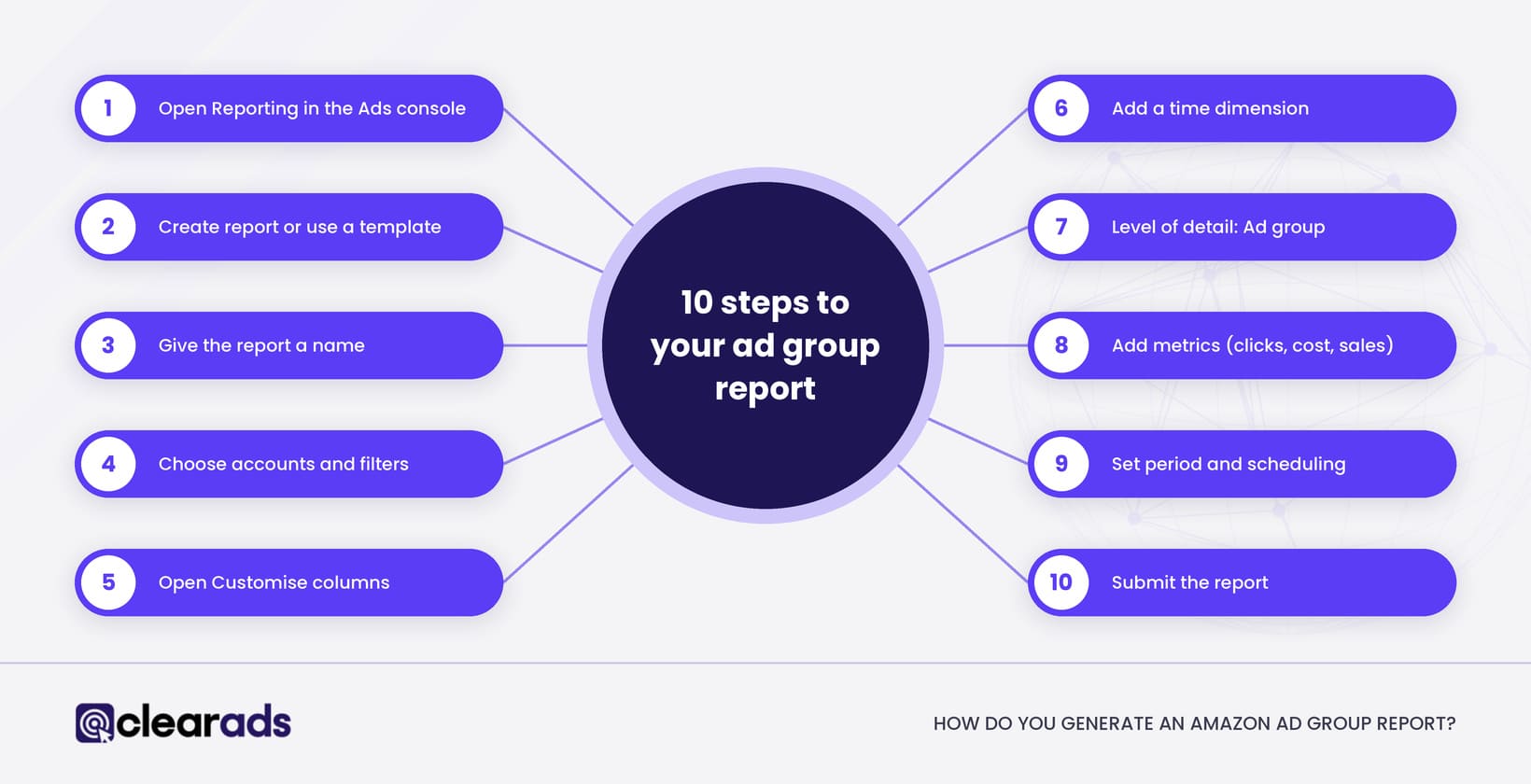
You generate an Ad Group Report in unified reporting by selecting Ad group as the level-of-detail dimension. Amazon made unified reporting generally available in the advertising console on 8 June 2026, including in the US and UK. The report builder needs at least one time dimension, one level-of-detail dimension and one metric, and the steps below produce one row per ad group.
- Open Reporting from the left navigation in the Amazon Ads console.
- Select Create report, or start from a suitable template.
- Give the report a descriptive name so you can find it again.
- Select the advertiser accounts and, if needed, filter by country, ad product and campaign. Choose the marketplace here, for example US or UK, to isolate that marketplace’s data.
- Open Customise columns.
- Under Dimensions, select a time dimension such as Date range, Date or Week.
- Under Dimensions, then Level of detail, select Ad group.
- Add the metrics you need, such as impressions, clicks, cost, purchases and sales.
- Choose the reporting period and the delivery or scheduling options.
- Submit the report.
Unified reporting holds daily and weekly data for up to 15 months, and monthly, yearly and summary data for up to six years, although some dimensions and metrics have shorter histories. Metric and dimension availability also varies by ad product and campaign type, so check which dimensions are available for the campaigns in your report.
One deadline affects any saved workflow. Amazon plans to retire the legacy Sponsored ads and Amazon DSP report pages by 31 December 2026, and saved reports, schedules and history left on those pages will be deleted, so rebuild anything you rely on in unified reporting before then.
What other ways can you get ad-group data?
Ad-group data also comes from Campaign Manager, a bulk operations file and the Amazon Ads API, and each route suits a different job. The table sets out all four.
| Route | How you reach one row per ad group | Best for | Watch-out |
| Campaign Manager | Open the campaign, switch to its ad groups, set the date range and use the table’s export control where available | A quick check or export from a small number of campaigns | Less efficient than unified reporting for analysis across many campaigns or accounts |
| Unified reporting | Select Ad group as the level-of-detail dimension | Custom or scheduled analysis across campaigns, accounts and supported ad products | Some dimensions and metrics apply only to certain ad products and return nothing where they do not apply |
| Bulk operations file | Download existing campaigns, then filter the file to rows where Entity is Ad group | Reviewing or editing campaign structure at scale | Primarily an operations file; check that the download includes the performance columns you need |
| Amazon Ads API | Version 3 reporting: named ad-group reports for Sponsored Brands and Sponsored Display; for Sponsored Products, the campaign report grouped by ad group | Automated pulls into a tool or data warehouse | Join exports on campaign and ad-group IDs, because names can be edited |
Campaign Manager is the fastest route for a one-off look. A scheduled report or the API keeps a weekly review running without rebuilding it each time.
What can you see on an Amazon Ad Group Report?
You see each ad group’s identifiers alongside its aggregated performance. The identifiers include ad group name and ID, the parent campaign name and ID, status, and the date or date range. The performance columns include impressions, clicks, cost, attributed sales and purchases, plus calculated ratios such as click-through rate, cost per click, advertising cost of sales and return on ad spend where the ad product supports them.
The exact schema varies by ad product. Sponsored Brands and Sponsored Display expose their own qualified fields, including new-to-brand, detail-page and video measures where eligible, while Sponsored Products grouped at ad-group level exposes its own supported columns. Do not assume every field appears in every export.
How does the report differ by ad product?
The Ad Group Report’s columns, attribution window and cost basis change with the ad product, so compare ad groups only within one ad product. The table shows what changes.
| Ad product | How you get ad-group grain | Attribution window for sales | Columns that change the reading |
| Sponsored Products | Ad group level of detail in unified reporting; in the API, the campaign report grouped by ad group | 7 days for sellers, 14 days for vendors | Some API exports split sales between the advertised product and other products bought after the click |
| Sponsored Brands | Ad group level of detail in unified reporting; a named ad group report in the API | 14 days for clicks; since 1 January 2026, a shorter view window for campaigns billed per thousand viewable impressions | New-to-brand purchases and sales; video measures for video ad groups |
| Sponsored Display | Ad group level of detail in unified reporting; a named ad group report in the API | 14 days for clicks; since 1 January 2026, a shorter view window for campaigns billed per thousand viewable impressions | Cost type (per click or per thousand viewable impressions) decides which ratios can be compared |
A Sponsored Display ad group billed per thousand viewable impressions and a Sponsored Products ad group billed per click do not share a cost basis. Ranked side by side on ACoS, they reward whichever ad product credits sales more generously, so keep each ad product in its own ranking. Since 1 January 2026, Amazon credits views of Sponsored Brands and Sponsored Display campaigns billed per viewable impression using what it calls shopping-signal enhanced last-touch attribution, which uses a shorter window, while separate all-views metrics such as Purchases (all views) keep the 14-day view window. Click-based attribution is unchanged, so view-attributed figures from before and after that date are not directly comparable.
What metrics are involved, and how are they used?
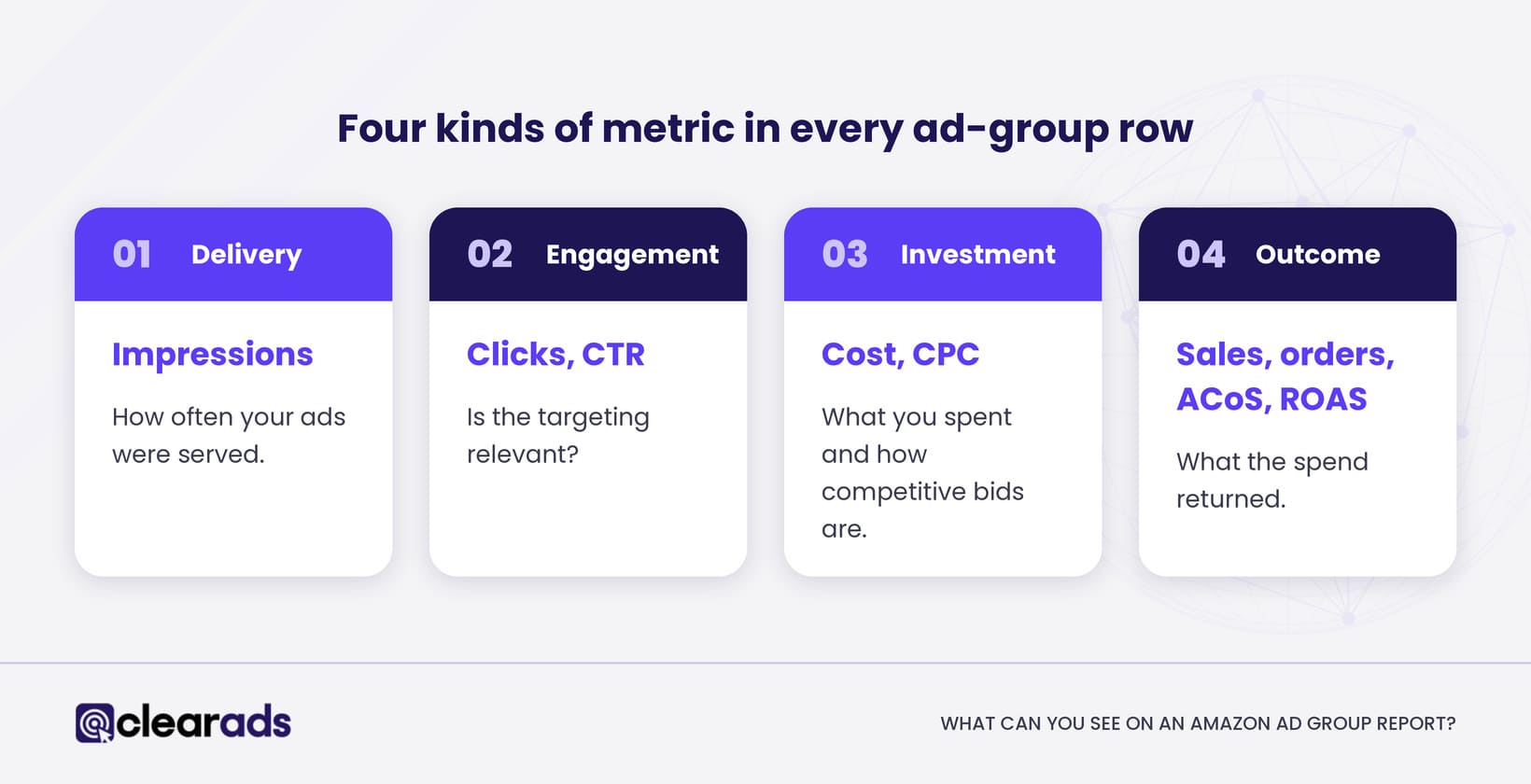
The report combines four kinds of metric: delivery, engagement, investment and outcome. Each kind answers a different question about the ad group.
- Delivery: impressions count how often ads were served.
- Engagement: clicks count how often shoppers clicked. Click-through rate (CTR) is clicks divided by impressions, multiplied by 100. CTR reads relevance: a low CTR on high impressions suggests the targeting or creative is off.
- Investment: cost is the ad spend in the period. Cost per click (CPC) is ad spend divided by clicks, and it reads competition and bidding.
- Outcome: sales are the value of ad-attributed purchases and exclude the product’s organic revenue. Purchases are the count of those orders. Advertising cost of sales (ACoS) is ad spend divided by ad-attributed sales, multiplied by 100, and return on ad spend (ROAS) is ad-attributed sales divided by ad spend; the Amazon PPC hub shows how ACoS and ROAS are calculated in full.
ACoS and ROAS describe the same relationship from opposite ends. Neither alone proves profit, because profit depends on margin the report does not hold. Use them to rank ad groups against each other on the same basis, and judge profit separately.
One caution governs every ratio: the numbers must share an attribution window before you compare them. As of Amazon’s June 2026 documentation, Sponsored Products seller sales and ROAS use a 7-day lookback, Sponsored Products vendor figures use 14 days, and most other campaign types use a 14-day standard. Comparing a 7-day figure with a 14-day figure quietly distorts the result.
How can advertisers analyse ad groups using the report?
Read the report by comparing peer ad groups inside the same campaign, over the same period, on the same attribution basis. Differences that survive those controls are the ones worth acting on.
Check data maturity before you move. Amazon keeps checking traffic after it is recorded, so clicks, spend and sales for the last few days can still change, and conversions keep arriving until the attribution window closes. A recent window will understate sales, so a fresh ad group can look worse than it is.
Recalculate every ratio from the totals when you combine rows. Add up spend and ad-attributed sales across the ad groups first, then divide. Averaging each row’s ACoS gives a small ad group the same weight as a large one: in the worked example further down this page, the average of the three ACoS figures is 86%, while the campaign’s true ACoS is 39%.
Pick one attribution window per review. Some Sponsored Products API exports carry overlapping 1-day, 7-day, 14-day and 30-day sales and purchase columns. A conversion counted within one day is also counted in the longer windows, so adding them together counts the same order more than once.
An ad group with no orders also needs enough clicks before it can be judged. At a 10% conversion rate, it takes about 22 clicks before a run of zero orders has less than a 1 in 10 chance of being bad luck.
Once the data has settled, the Ad Group Report tells you where to look, and sometimes why. A group with high spend and weak sales is a signal to open the target and search-term detail beneath it. Pairing ad-group review with the Amazon PPC metrics guide turns a list of rows into a sequence of decisions about bids, negatives and product mix.
How should you name ad groups so the report reads cleanly?
Name every ad group with the same parts in the same order, so a sorted export groups like with like. A pattern of product family, targeting type and match type, such as “Garlic press / Manual / Exact”, lets you filter the export by any part without opening the console. A vague name such as “Ad group 3” forces a lookup for every row you want to act on.
Naming makes a structure readable, but it does not decide the structure. How to divide products and targets into ad groups is a campaign structure decision, which sits with the PPC hub.
What are the main components, and how do they affect campaign performance?
Each signal in an ad-group row points at a different first action. Clear Ads reads the row as a triage, using the framework below, so a weak number leads straight to the lever most likely to fix it.
Ad group triage: signal, likely cause, first action (Clear Ads framework)
| Signal in the ad-group row | Likely cause | First action |
| Low impressions | Bids below the competitive range, narrow targets, or the campaign budget running out early | Check the campaign’s budget use, then raise default bids or widen targets |
| Low CTR on high impressions | Targeting or creative that does not match what shoppers want | Open the search-term detail for the group and tighten targeting before changing bids |
| High spend with few purchases | Clicks from irrelevant searches or a listing that does not convert | Open the search-term detail, add negatives, and check the product page |
| High ACoS on strong sales | Bid efficiency rather than demand | Lower bids in small steps and keep the group live |
The order of the rows matters. Fix exposure before relevance, and relevance before efficiency, because an ad group with too few impressions cannot produce a CTR or ACoS worth judging.
The example below applies the triage to one Sponsored Products campaign over 30 days. The figures are teaching figures, not account data.
| Ad group | Impressions | Clicks | Spend (USD) | Orders | Sales (USD) | CTR | Conversion rate | ACoS |
| Brand terms, exact | 12,000 | 360 | 216.00 | 54 | 1,620 | 3.00% | 15.0% | 13.3% |
| Generic terms, exact | 48,000 | 480 | 576.00 | 38 | 1,140 | 1.00% | 7.9% | 50.5% |
| Generic terms, broad | 90,000 | 270 | 351.00 | 6 | 180 | 0.30% | 2.2% | 195.0% |
| Competitor products | 3,000 | 9 | 9.90 | 0 | 0 | 0.30% | n/a | n/a |
| Campaign total | 153,000 | 1,119 | 1,152.90 | 98 | 2,940 | 0.73% | 8.8% | 39.2% |
The campaign total alone suggests a small bid cut across the board. Read by ad group, the right move is different for each one.
| Ad group | Signal | First action |
| Brand terms, exact | Strong on every measure | Raise bids on its best targets; consider its own campaign so it keeps its budget |
| Generic terms, exact | High ACoS on solid sales | Lower bids in small steps and keep it live |
| Generic terms, broad | Low CTR on high impressions; high spend with few orders | Open its search terms, add negatives, then judge it again |
| Competitor products | Low impressions; too few clicks to judge | Check bids and targets before reading CTR or ACoS |
| Campaign total | Looks acceptable | Hides a 13% group and a 195% group |
When a row points to a bid change, check where the bid lives. The ad group’s default bid applies only to targets without a bid of their own, so changing the default may not touch the targets that spend most.
Why does the Ad Group Report matter for Amazon advertisers?
The Ad Group Report matters because it is the level where bid and targeting mistakes are cheapest to catch and correct. A problem spotted at ad-group grain is one adjustment away from fixed. The same problem left inside a campaign average keeps spending until the blended number finally slips.
For a seller or vendor running Sponsored Ads across a large catalogue, this is the difference between managing spend and watching it. The report turns “the campaign is underperforming” into “these two ad groups are underperforming, for these reasons,” which is a sentence you can act on the same day.
How do Ad Group Reports help improve campaigns?
Ad-group reporting improves campaigns by making reallocation precise. A campaign might hold a brand-term ad group and a generic-term ad group. The brand group converts cheaply, the generic group uses most of the shared budget by mid-afternoon, and the campaign total blends both into one figure that looks acceptable.
Clear Ads has published one client result in which ACoS fell from 37% to 22% in two months while sales rose by 220%. That is an account-level result, so it does not prove that ad-group changes alone caused it, but it is the outcome this kind of reallocation aims for: budget moves to the groups that earn it, and the groups that drain it are fixed or contained.
The pattern repeats: review ad groups on a settled window, rank them on a shared attribution basis, raise bids on the strongest, and investigate the weakest before pausing. Done weekly, this routine usually lifts the campaign average, because bids and budget follow the groups that earn them.
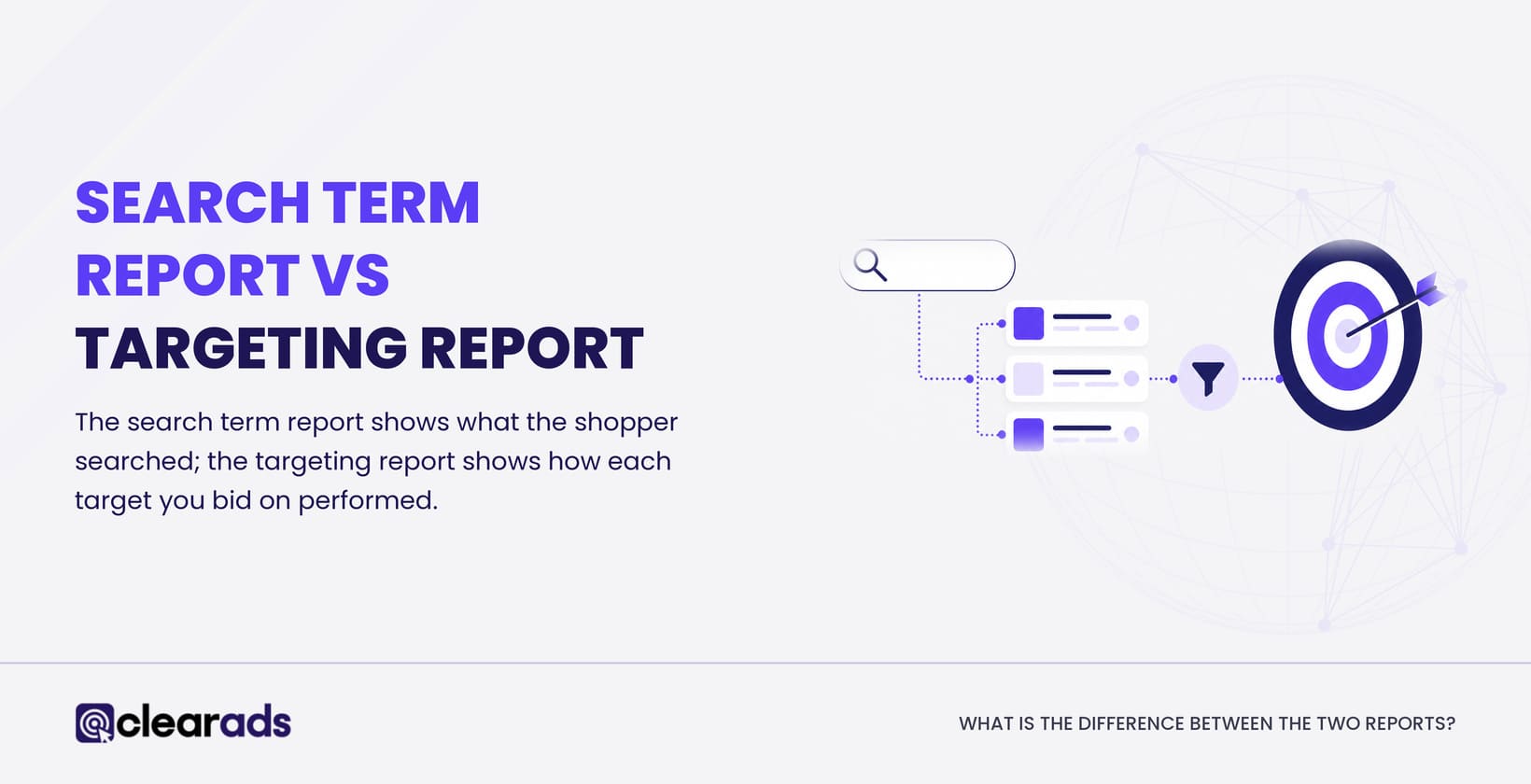
What is the difference between an Ad Group Report and a Search Term Report?
The two reports answer different questions at different grains. The table below sets them side by side.
| Attribute | Ad Group Report | Search Term Report |
| Grain | One row per ad group | One row per customer search term or matched target |
| Question it answers | Which ad groups perform, and where to move bids and budget | Which terms produced clicks and sales inside a group |
| Rows shown | Ad groups with activity in the chosen period | Only terms that received at least one click |
| Where to find it | Unified reporting, Ad group level of detail | Search term report, documented by Amazon for Sponsored Products |
| Best used for | Finding the symptom | Finding the cause |
A Search Term Report lists the customer terms and matched targets that produced ad clicks, and its impression totals can differ from the campaign totals in Campaign Manager. You use it after the Ad Group Report has flagged a group, to see which terms drove the result. Read the full method for the Amazon Search Term Report when you need to act on specific queries. The reports work together: ad group to locate the problem, search term to diagnose it.
Frequently asked questions
How many ad groups should an Amazon campaign have?
Amazon sets no ideal number of ad groups per campaign. What matters for reporting is that each ad group holds one product family and one targeting approach, so its row in the report describes one thing. How to divide products and targets is covered in Amazon PPC campaign strategy and structure.
What is a good ACoS for an ad group?
A good ACoS for an ad group is one that stays below your break-even point, which is your profit margin before ad costs. At a 30% margin, an ad group running above 30% ACoS loses money on each ad-attributed sale, so set each group’s target below that line according to its job. ACoS itself is defined on the ACoS, TACoS and ROAS page.
Can you schedule the Amazon Ad Group Report to run automatically?
Yes. In unified reporting, a report can run once or on a daily, weekly or monthly schedule, and delivery can send a link to an email address you enter. Amazon warns that anyone with that link can view the report, so send it only to people who should see the data.
Why don’t the ad-group rows add up to the campaign total?
Ad-group rows add up to the campaign total only when both views use the same dates, attribution window, ad products and filters. A mismatch usually comes from a campaign or ad-product filter, a different date range, or recent days that Amazon is still updating, so check those three before treating the gap as an error.
Does a paused ad group still appear in the report?
Yes, for any dates in the report period when it was serving. A report covering last month can show ad groups that are paused today, so check each group’s current status before acting on its row.
What does this page not cover?
This page defines and generates the Ad Group Report and leaves three neighbouring topics to other pages. That keeps it a reference for one report.
- Search-term analysis, negative keywords and query harvesting belong to the Search Term Report guide to negatives and harvesting.
- Bid optimisation, budget rules and full campaign structure belong to the Amazon PPC campaign strategy and structure.
- Off-Amazon measurement and audience reporting sit with Amazon Attribution and Amazon DSP, which are separate surfaces from Sponsored Ads.
What is the next step?
Start by generating an Ad Group Report for your live Sponsored Ads campaigns on a settled date window, then rank comparable groups on the same attribution basis. That gives your team a repeatable way to see where target, search-term or listing analysis is needed next.
The Ad Group Report is one of several reports worth reading together, and the full set of Amazon advertising reports shows where each one fits. If reading ad-group data reliably is more than your team can hold alongside everything else, Clear Ads Amazon PPC management uses structured reporting and ongoing optimisation to turn performance data into decisions about bids, targeting, campaign structure and budget.