Key Takeaways
- An Amazon ad spend report is any view or export of the Cost metric in the Amazon Ads console, built in the report builder rather than a single named report.
- You build an Amazon ad spend report in the Amazon Ads console under Reporting, then Create report, choosing the accounts, ad products, dates and metrics you want.
- Cost is what your campaigns actually spent, while a budget is only the most a campaign is allowed to spend.
- Unified reporting is replacing the legacy report centres during 2026, so archive saved reports and schedules before Amazon’s planned 31 December 2026 shutdown.
- Your invoice total rarely equals Cost for the same dates, because invoices follow billing cycles and include tax, credits and adjustments.
- Cost divided by clicks gives your cost per click (CPC), which turns a flat spend figure into a signal you can act on.
An Amazon ad spend report is any view or export of the Cost metric in the Amazon Ads console: the amount you actually spent running ads, by campaign, ad product and period. Amazon does not ship a single report under that name, so you build it in the report builder. This page means advertiser ad spend only. It is about the spend in your own account, not industry reports on how much brands spend on Amazon advertising. It does not cover shopper order history, setting budgets, or invoice totals, which differ from Cost. Amazon is moving advertisers onto unified reporting during 2026 (generally available since 8 June 2026, including in the US and UK) and plans to retire the older report centres at the end of the year, so this page sets out where your ad spend lives now, how to read it, and how to reconcile it with what you are billed.
What is an Amazon ad spend report?
An Amazon ad spend report is an advertiser’s view or export of Cost in the Amazon Ads console, broken down by campaign, ad product and time period. The ad spend report, sometimes called an Amazon spending report, has no single official report behind it. You assemble it yourself in the console, choosing the accounts, ad products, dates and metrics you want to see.
Amazon names ad spend Cost in Sponsored Ads reports and Total cost in some views. Cost is the total ad spend in the period: what your campaigns actually spent.
Cost is not the same as your budget. A budget is a limit you set, so it tells you what a campaign was allowed to spend, while Cost tells you what it did spend. The three figures people most often mix up line up like this:
| Term | What it measures | Where you see it |
| Cost | What campaigns actually spent in the period | Report builder, campaign manager |
| Budget | The most a campaign is allowed to spend | Campaign settings |
| Invoice total | Charges billed in a billing cycle, including tax, credits and adjustments | Billing and Payment |
The figure for an ad spend report is Cost: the amount campaigns actually spent, not the budget limit and not the invoice total.
Why does your Amazon ad spend report matter?
Your Amazon ad spend report matters because it is the only reliable record of where your advertising money actually went. Every decision about bids, budgets and which products to back rests on that record.
A campaign hits its daily budget by mid-afternoon. In the spend trend, Cost flattens at the same figure every day, which is the signal that the campaign stopped serving for the rest of the day.
A Cost line that stops moving at the same point each day is one of the clearest patterns an ad spend report can show you.
How do you access your Amazon ad spend report?
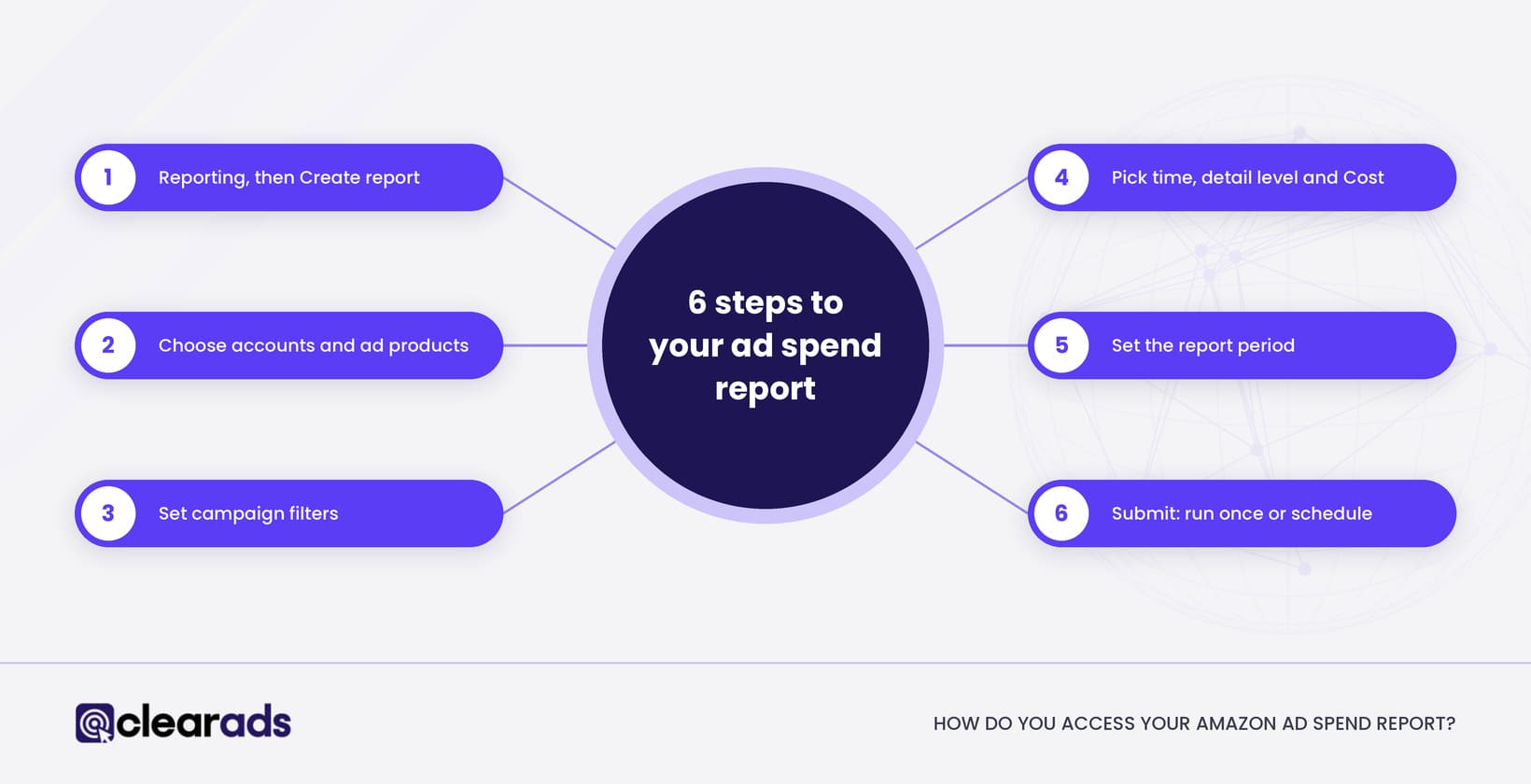
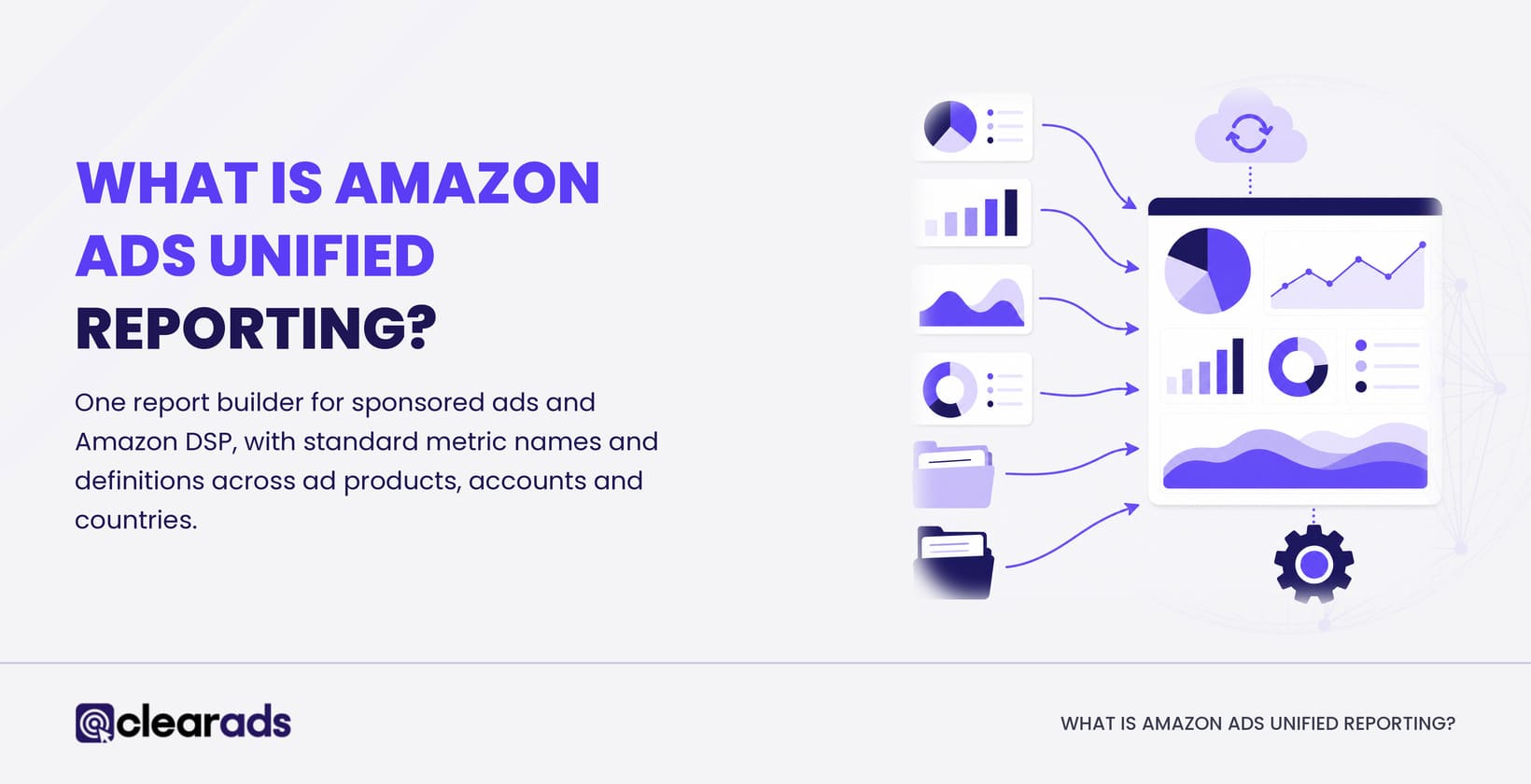
You access your Amazon ad spend report through Reporting in the left navigation of the Amazon Ads console, then Create report. Unified reporting brings eligible Sponsored Ads and Amazon DSP reporting together in that one builder.
The current workflow runs in six steps:
- Open the Amazon Ads console, select Reporting, then Create report or a saved template.
- Choose the accounts, countries and ad products you want. For one marketplace’s spend, select that marketplace’s account and its currency, for example the US account in USD or the UK account in GBP.
- Set filters for specific campaigns, or leave them open to include every campaign with traffic.
- Pick a time dimension, a detail level and at least one metric, and make sure Cost is included.
- Set the report period to the range you need.
- Submit the report, and choose whether it runs once or on a schedule.
One check matters before you trust the total. Metric and dimension availability varies by ad product, so confirm that every ad product you run appears in the export before you treat it as complete. Pull anything missing separately and add it once, without double-counting.
How do you download and schedule your Amazon ad spend report?
You download an ad spend report by submitting it and collecting the output, and you schedule one by setting it to repeat. Unified reports can run once or on a daily, weekly or monthly schedule, and delivery can send a link to an email address you enter.
Treat that delivery link with care. Amazon warns that anyone who has the link can view the report, so it does not belong in a forwarded email or an open channel. For legacy downloads, Amazon recommends saving your exports monthly.
The legacy route has a fixed end. Amazon plans to retire the legacy Sponsored ads and Amazon DSP report pages by 31 December 2026, so archive your saved reports, schedules and historical files, and rebuild any scheduled reports in unified reporting, before then.
What does the Amazon Seller app show about ad spend?
The Amazon Seller app shows ad spend, impressions and clicks for Sponsored Products and other ad types, and lets sellers change budgets and keywords or pause campaigns. It suits a quick check on the move.
The app is not where reports are built. Use it to monitor spend, and use the Amazon Ads console to report it.
Which reports show Amazon ad spend?
Eight routes show Amazon ad spend, and each answers a different question: the unified report, the legacy campaign report, Performance Over Time, the budget report, streaming TV ads reporting, Amazon DSP, bulksheets and the invoice. Picking the wrong route is how advertisers end up comparing a budget limit with a billed charge and calling it a discrepancy.
| Report or route | What it answers | Watch-out |
| Unified report (Reporting, then Create report) | Cost across accounts, countries and eligible ad products in one export. | Check that every ad product you run appears before you quote a total. |
| Campaign report (legacy download) | Campaign-level Cost for a period across Sponsored Products, Sponsored Brands and Sponsored Display. | The legacy centre is scheduled to close, so save exports before the cutoff. |
| Performance Over Time report (legacy, Sponsored Products) | Sponsored Products clicks, CPC and Cost as a trend. | Sponsored Products only. |
| Budget report (legacy, Sponsored Products) | Where Sponsored Products delivery was limited by budget. | Shows a limit, so it is no record of money actually spent. |
| Streaming TV ads (formerly Sponsored TV) reporting | TV Cost with CPM, reach and video completion. | Bought on a cost-per-thousand basis; check that streaming TV ads are offered in your marketplace and how they appear in your reports before adding them to a total. |
| Amazon DSP | Programmatic Cost for display, video and audio. | Console costs can be adjusted after they first appear, so take final DSP spend from the invoice. |
| Bulk operations (bulksheet) | Campaign structure with optional performance data. | A structure-only export is no spend record, so confirm performance data is included. |
| Invoice (Billing and Payment) | Charges billed in a cycle, for finance reconciliation. | Includes tax, credits and adjustments, so it rarely equals campaign Cost by date. |
Amazon Marketing Cloud (AMC) is a privacy-safe clean room where eligible advertisers query pseudonymised advertising data. It suits complex measurement questions, not a simple spend total, so it sits outside this table on purpose.
How do you get one total for all Amazon ad formats?
One all-format total comes from the unified export plus a separate pull for any formats unified reporting leaves out, added once with no campaign counted twice. Before you add anything, define “total”: choose Cost rather than budget or invoice, and fix the account, ad product, currency and date range so you compare like with like.
No single one-click total covers every format today. With Amazon DSP in the mix, remember that Amazon says console costs can be adjusted after they first appear, so the invoice is the final record of what you paid.
Combining the exports takes more work than a single button. It is the only way to quote an all-format figure you can stand behind.
How do you retrieve a yearly view of your Amazon ad spend?
You retrieve a yearly view of ad spend by setting the report’s time grain to yearly, or by choosing a 12-month date range. Amazon has no separate “annual spending report”: the year is a time grain you select in the builder.
History has limits worth knowing. Unified reporting holds daily and weekly data for up to 15 months, and monthly, yearly and summary data for up to six years. When it launched in beta, Amazon said hourly data covered the last two weeks.
How are Amazon ad charges paid, and where do they show up?
Amazon ad charges are paid in one of three ways: deducted from your seller or vendor account balance, charged to a card, or billed monthly by invoice. The method decides where the money shows up outside the Amazon Ads console, and so which record you reconcile Cost against.
| Payment method | How it works | Where the charge shows up | Reconcile Cost against |
| Account balance | Ad charges are deducted from selling proceeds (sellers) or netted against payments (vendors). Amazon says the overwhelming majority of advertisers pay this way. | Seller Central Payments, listed under Expenses, for sellers | The payments report for the period, plus the Amazon Ads invoices behind it |
| Card | Charged each time the balance passes a billing threshold that starts low and rises as you pay, with the previous month’s remaining balance charged early the next month. As of Amazon’s FAQ (US), the threshold starts at $50 and rises in steps to $500, and the remaining balance is charged on the 3rd. | Your card statement, often several charges a month | Each invoice, summed for the month |
| Pay by Invoice | One monthly invoice, due 30 days later. In April 2026, Amazon said that from 1 August 2026 a small group of advertisers it had contacted directly would pay from their account balance or by Pay by Invoice, with a card kept only as a backup. | Your accounts payable | The monthly invoice |
A seller paying from the account balance never receives ad spend as a separate bill. It leaves with the other deductions, so it is easy to book as a general Amazon fee and miss in a marketing budget. Pull the advertising lines from the payments report each month and match them to that month’s invoices.
The payment method on an account can change, as the 2026 update showed. Check it in the billing settings of the Amazon Ads console before you set up a monthly reconciliation.
How do you break Amazon ad spend down?
You break ad spend down by cutting the same Cost figure one way at a time, and each cut answers a different question about where the money went. Most cuts come from the same report builder with a different level of detail.
| Cut | Question it answers | Where to get it | Pattern worth acting on |
| Ad product | Is the spend mix the one we planned? | Ad product dimension | One ad product taking a growing share with no matching rise in sales |
| Campaign | Which campaigns take the money? | Campaign level of detail | The same few campaigns running out of budget every day |
| Branded and non-branded | How much are we paying for shoppers already searching for us? | Campaign names, or targets that contain the brand | Branded spend growing faster than non-branded |
| Targeting type and match type | Which targeting approach spends most? | Targeting report | Broad match or automatic targeting taking most of the spend with weak sales |
| Placement | Is top of search worth what it costs? | Placement report | Top-of-search spend rising after a placement bid increase, with no matching rise in sales |
| Advertised product | Which products is the money backing? | Advertised product report | Spend on products that are out of stock or not winning the Featured Offer |
| Search term | Which searches cost money and sold nothing? | Search Term Report | Terms with spend and no orders across 30 days |
| Time | When does the money go? | Day or week time dimension | Spend stopping at the same hour every day |
| Marketplace | Which countries take the budget? | Country selection | Totals added across currencies without conversion |
The placement cut has its own report: the Amazon placement report shows what top of search, product pages and the rest of search each cost and returned.
One cut answers the question most finance teams ask: how much spend bought nothing. Zero-order spend share is spend on search terms with no orders over the last 30 days, divided by total spend, multiplied by 100. Leave out at least the most recent 7 days, the length of the Sponsored Products seller attribution window, so orders still arriving are counted.
When you add up spend across marketplaces, convert each currency at one stated rate and label the result. A total that adds dollars to pounds is not a figure anyone can act on.
How do you judge whether Amazon ad spend is efficient?
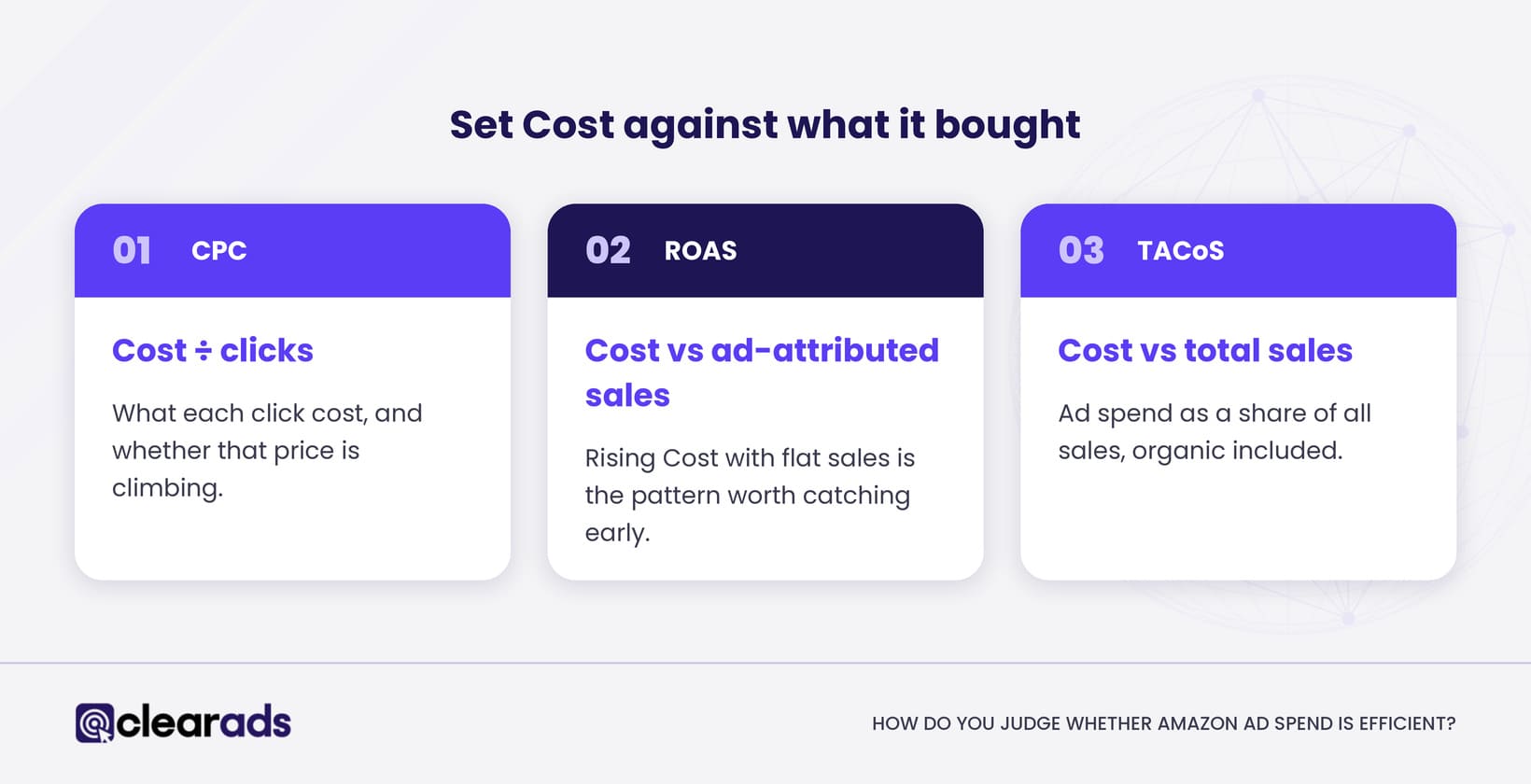
You judge whether ad spend is efficient by setting Cost against what it bought: clicks, ad-attributed sales and total sales. Cost read on its own is only half the picture.
Set against attributed sales, Cost tells you whether the money is working, which is why advertisers read Cost next to return on ad spend, defined on the ACoS, TACoS and ROAS page. Rising Cost with flat sales is the pattern worth catching early.
Total advertising cost of sales (TACoS) adds the third view: ad spend as a share of all sales, organic included. It answers whether ad spend is growing faster than the business it supports. If Cost rises 20% in a quarter while total sales rise 5%, TACoS climbs even when return on ad spend holds steady.
How does cost per click turn spend into a signal?
Cost per click turns spend into a signal by showing what each click cost and whether that price is climbing. CPC equals Cost divided by clicks.
Calculate CPC from the totals for the rows you are reading, because averaging row-level CPCs gives small rows the same weight as large ones. The factors that move CPC are covered in Amazon PPC metrics and how to read them.
A rising CPC is a prompt to check the clicks behind it. Whether to change a bid depends on the sales those clicks attributed, your product margin and enough clicks to trust the number. No CPC is “good” everywhere, because it varies by category, placement and format.
How do you track Amazon ad spend over time?
You track ad spend over time by scheduling a recurring report at a weekly or monthly grain, so the history builds without rebuilding the report.
Recent figures move, so read them with that in mind. Amazon keeps checking traffic after it is recorded, so clicks and Cost for the last few days can still change as invalid clicks are removed, and sales keep arriving until the attribution window closes. Pick a consistent as-of point, such as data three days old, and every period compares fairly.
How do you reconcile Amazon ad spend with your invoices?
You reconcile Amazon ad spend by matching Cost in your campaign reports to the charges on your invoice for the same window, then explaining the gap. The two rarely match to the cent, and knowing why keeps a normal timing difference from looking like an error.
How do you determine your total Amazon ad spend for a specific period?
You determine ad spend for a specific period by setting that date range and reading Cost, then reconciling it against the invoice for the same window. Expect the two figures to differ, because they are built differently.
You will find your invoices in the Billing section of the Amazon Ads console. Since December 2024, one billing page lets advertisers view and download sponsored ads and Amazon DSP invoices for every country they advertise in, one at a time or in bulk. Use the invoices for finance reconciliation and the campaign export for reading performance, because the invoice follows billing cycles and the export follows campaign dates.
Reconciliation means naming each line of the gap between console Cost and the invoice total. The example below follows one month for a US account, in US dollars. The figures are teaching figures, not account data.
| Reconciliation line | Amount (USD) |
| Console Cost for the calendar month (report builder) | 12,480.00 |
| Less: charges from this month billed on the next invoice | 1,150.00 |
| Plus: charges from last month billed on this invoice | 930.00 |
| Less: invalid-traffic credits | 62.40 |
| Plus: tax and other adjustments | 0.00 |
| Invoice total for the billing period | 12,197.60 |
Here the invoice is $282.40 lower than console Cost: $1,150.00 of this month’s clicks moves to next month’s invoice, $930.00 arrives from last month, and $62.40 of invalid-traffic credits comes off. When every line of the gap has a named cause, the ad spend figure and the invoice can both be trusted.
Why does the invoice not match Cost?
The invoice and Cost differ for five common reasons, and each has a fix. The table pairs them.
| Reason | What happens | Fix |
| Timing | Clicks late in a month are billed on the next invoice, and threshold billing splits a month into several charges | Reconcile by the dates on the invoices, not the calendar month |
| Invalid traffic | Amazon removes invalid clicks after the event, so recent clicks and Cost can still change for a few days | Reconcile on data that is at least a few days old |
| Credits and adjustments | Credits for invalid traffic or disputes appear as separate lines | Give them their own reconciliation line |
| Tax | Invoices can add VAT or sales tax, depending on the marketplace and your business details; Cost does not | Compare totals before tax |
| Currency | Cost is reported in the marketplace currency, and a card or bank may convert it | Reconcile in the invoice currency |
Archive invoices every month. Since January 2024, sponsored ads advertisers can download one invoice statement covering the last 90 days, for one country or all of them, from the Billing page, so a missed quarter is hard to rebuild later.
Frequently asked questions
Why did Amazon spend more than my daily budget?
Amazon averages Sponsored Products, Sponsored Brands and Sponsored Display daily budgets over the calendar month, so a campaign can spend more than its daily budget on a busy day. Since May 2023, that extra can reach 100% of the average daily budget, drawn from budget left unspent earlier in the month, and the console’s Settings tab lets you set it to 25% or 100%. Budget settings are covered in Amazon PPC budgeting and bidding strategies.
Do you pay for invalid or fake clicks on Amazon ads?
No. Amazon’s traffic quality systems filter invalid clicks and impressions, and Amazon bills only for valid traffic, crediting back clicks it identifies as invalid after the event. The gross and invalid traffic report in the console shows how many clicks and impressions were filtered for Sponsored Products, Sponsored Brands and Sponsored Display.
How much should you spend on Amazon ads?
There is no single right figure: the budget should follow from the ACoS or TACoS your margin can carry and the sales you want to grow. Typical costs before you launch are covered in how much Amazon ads cost, and setting budgets and bids sits with the Amazon PPC budgeting and bidding guide.
Can you cap total Amazon ad spend for a month?
Yes. A portfolio can carry a monthly budget cap, and once the campaigns in it reach the cap they stop serving for the rest of the calendar month. Daily budgets limit each campaign on its own, while a portfolio cap limits a group of campaigns together.
Can you see how much competitors spend on Amazon ads?
No. Amazon does not show advertisers each other’s spend, and tools that estimate it work from outside signals, so treat their figures as rough. The closest Amazon comparison is benchmarks reporting, which lets Brand Registry brand owners compare click-through rate, cost per click and purchase rate (new to brand) with peer brands in their category.
What does this page not cover?
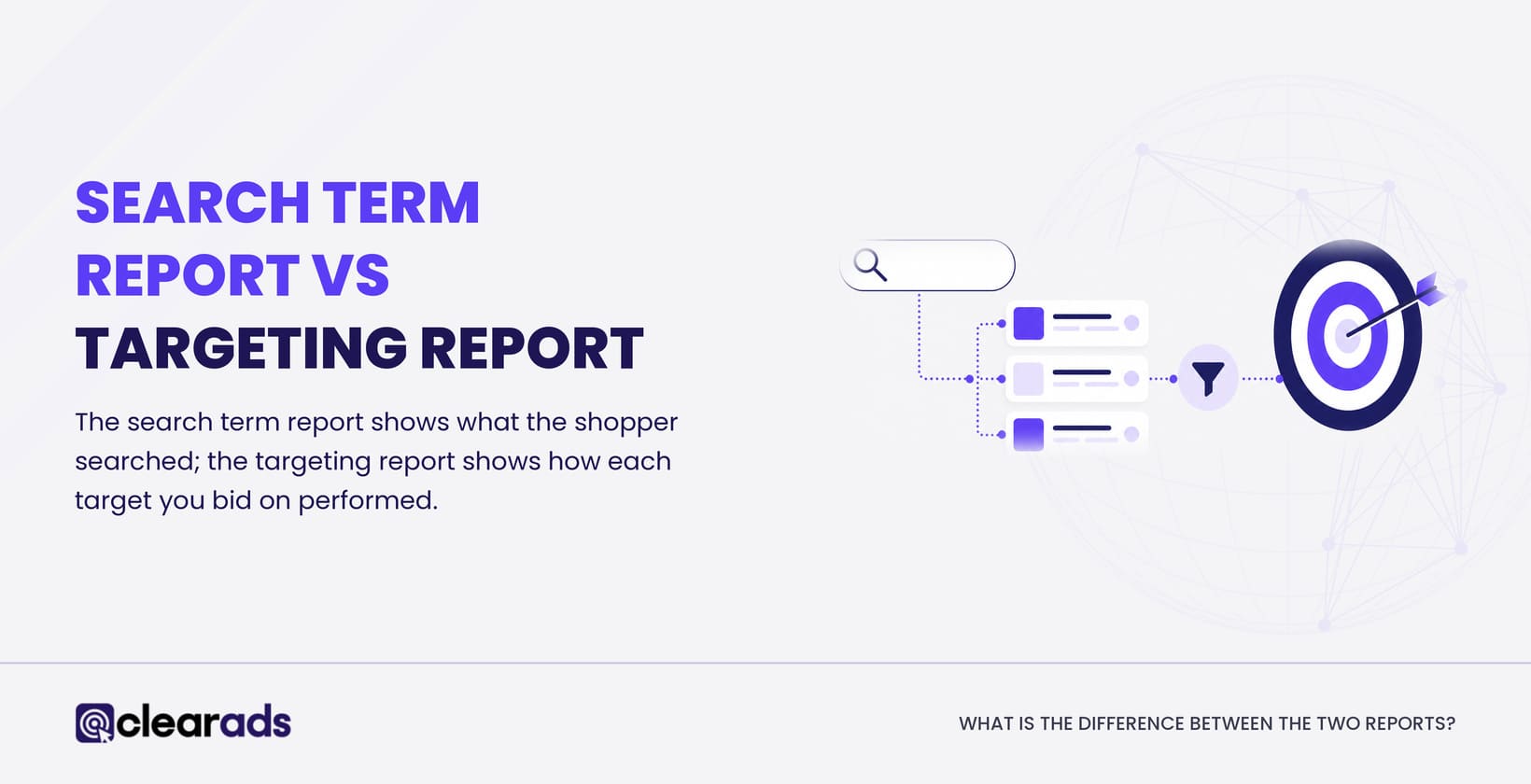
This page stops at finding, reading and reconciling your ad spend. Five related topics live elsewhere so this one stays focused: CPC in depth, budgets and bids, ad costs before launch, how the ad formats work, and search-term reporting.
Setting a budget, and choosing how much to bid, is a separate decision from reading what you spent. The guide to Amazon PPC budgeting and bidding strategies covers daily budgets and bid choices. What Amazon ads typically cost before you launch is answered in how much Amazon ads cost.
Cost per click in depth, and the factors that move it, sits with the Amazon PPC metrics page. How the ad formats themselves work, before you look at their Cost, sits with the Amazon PPC overview.
Search-term level reporting, which shows the shopper queries behind your spend, is covered in the Amazon Search Term Report guide. Shopper spending, meaning what you paid for your own Amazon orders, is a consumer-account topic and is not covered here.
What is the next step?
Start with one ad spend report you can trust: Cost by campaign for last month, set against the invoice for the same month. From there, the guide to Amazon reporting for advertisers shows how spend connects to the reports around it.
If reconciliation keeps leaving gaps you cannot explain, or Cost is rising while attributed sales stay flat, a conversation about Clear Ads Amazon PPC management may be worth having. Clear Ads is an Amazon Ads Advanced Partner that manages Sponsored Ads and Amazon DSP accounts for brands worldwide, most of them in the US.